Clocks, calendars, and hit counters


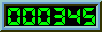
Clock
<img src="http://www.bright.net/cgi-bin/Count.cgi?dd=C|frgb=139;50;50&display=clock">
clock.gif (1324 bytes)

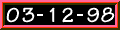
Calendar
<img src="http://www.bright.net/cgi-bin/Count.cgi?dd=C|frgb=139;50;50&display=date">
date.gif (1420 bytes)


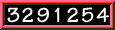
Access Counter
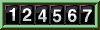
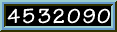
<img src="http://www.bright.net/cgi-bin/Count.cgi?dd=C|frgb=139;50;50&df=username.dat">
counter.gif (1446 bytes)


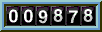
dd=C This is the counter format, it can be any of serveral different types.
A - a.gif (1255 bytes)
B - b.gif (1599 bytes)
C - c.gif (1549 bytes)
D - d.gif (1490 bytes)

frgb=139;50;50 This tells what color the border will be. Similar to the convention used to differentiate html color, frgb stands for frame red green blue. The values are from 0 to 255, with 0 being a lack of that color and 255 being a dominance of that color. For more on color check out the RGB color chart.


BRIGHT, BRIGHT.NET, BRIGHTICC, BRIGHTIM, BRIGHTSITE, MY MAIL, NITRODIAL, BEAST, 4E-DOCTOR and DR.ACCESS are trademarks of Com Net, Inc. and may not be used without permission.